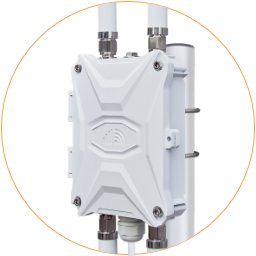
Wi-Fi Hotspot
The default Wi-Fi hotspot "Outdoor-WiFi-xxx" and it is non-encrypted.
Wireless Overview
Section titled “Wireless Overview ”After accessing the router admin panel, go to “Network > Wireless” to check the Wi-Fi status.
- Radio0 - Generic MAC80211 802.11bgn is the wireless modem of the router
- SSID | Mode: Master – Are the primary & guest Wi-Fi hotspots
- SSID | Mode: Client – It is the Wi-Fi relay connection. It’s not visible until you have a Wi-Fi relay connected.
- Associated Stations are the active Wi-Fi networks and their working status.
You can turn off both client and master SSID by clicking the “Disable” button. And re-activate it by clicking the “Enable” button.
The guest Wi-Fi hotspot uses a separate IP pool, 192.168.100.1, and it’s turned off by default.

Edit Wi-Fi Hotspot
Section titled “Edit Wi-Fi Hotspot”On the above wireless overview page of “System > Wireless.” Click the “Edit” button on the row of related SSID to enter their configuration page.
i. Basic Wi-Fi Settings
Section titled “i. Basic Wi-Fi Settings ”In the Device Configuration section, in the General Setup tab, you can monitor the network status and configure Wi-Fi operating Mode, Channel, Bandwidth, and Transmit Power.
Suggest using default settings unless there is a conflict.
ii. Wi-Fi Country Code
Section titled “ii. Wi-Fi Country Code ”In Device Configuration, click Advanced Settings, check the Country Code field, and select the corresponding country code.
It is essential to ensure the Wi-Fi hotspot on your router meets the legal regulations in your country. The other configured Wi-Fi networks will use the same device settings.

iii. Wi-Fi SSID & Password
Section titled “iii. Wi-Fi SSID & Password ”In the Interface Configuration section, click the General Setup tab. You can edit the Wi-Fi hotspot’s name on the ESSID field.
Click the Wireless Security tab to enter the encryption section and configure the Wi-Fi password.
- Encryption: Select an encryption method. The last option, “WPA-PSK/WPA2-PSK Mixed Mode,” is recommended for home and small office networks.
- Cipher: The “Auto” option is recommended.
- The Key is the Wi-Fi password. Input your password without space. Special characters are supported. The minimum length is eight characters.
- Other default settings are qualified for general usage.

Remarks:
Enable the checkbox Hide ESSID, and the router will stop broadcasting the Wi-Fi hotspot but maintain the Wi-Fi connection when manually entering the Wi-Fi hotspot name and password.
WMM, Wi-Fi Multimedia, is an automated way of handling Quality of Service (QoS) on the Wi-Fi network that provides improved video and voice performance over the wireless network.
Wi-Fi Relay
Section titled “Wi-Fi Relay”You can connect the 4G router to another Wi-Fi hotspot to get a backup Internet connection or extend the current Wi-Fi network. Go to “Network > Wireless” and open the wireless overview page.
- Click the “Scan” button on the first row of “Radio0”. It will open a new page and scan the nearby 2.4GHz Wi-Fi hotspots.
- Choose the Wi-Fi hotspot you want to connect to from the page and click the “Join Network” button.
- Enter the Wi-Fi password on the “WPA passphrase” field. Leave the new network as “wwan” in the “WAN/Mobile” firewall zone.
!! Do not enable the “Replace wireless configuration” check box unless you intend to disable its own Wi-Fi master hotspot. - Click the “Submit” button on the bottom right corner to enter the Wi-Fi client configure page.
Generally speaking, you can leave all of them with no change. - Click the “Save & Apply” button to return to the wireless overview page.
